
Compliance
SMS Notification Consent
GoPedl is a bicycle rental service operated by Lockr Labs LLC.
Want to try it yourself? Walk through the live opt-in flow →
Program overview
Program name: GoPedl SMS Notifications
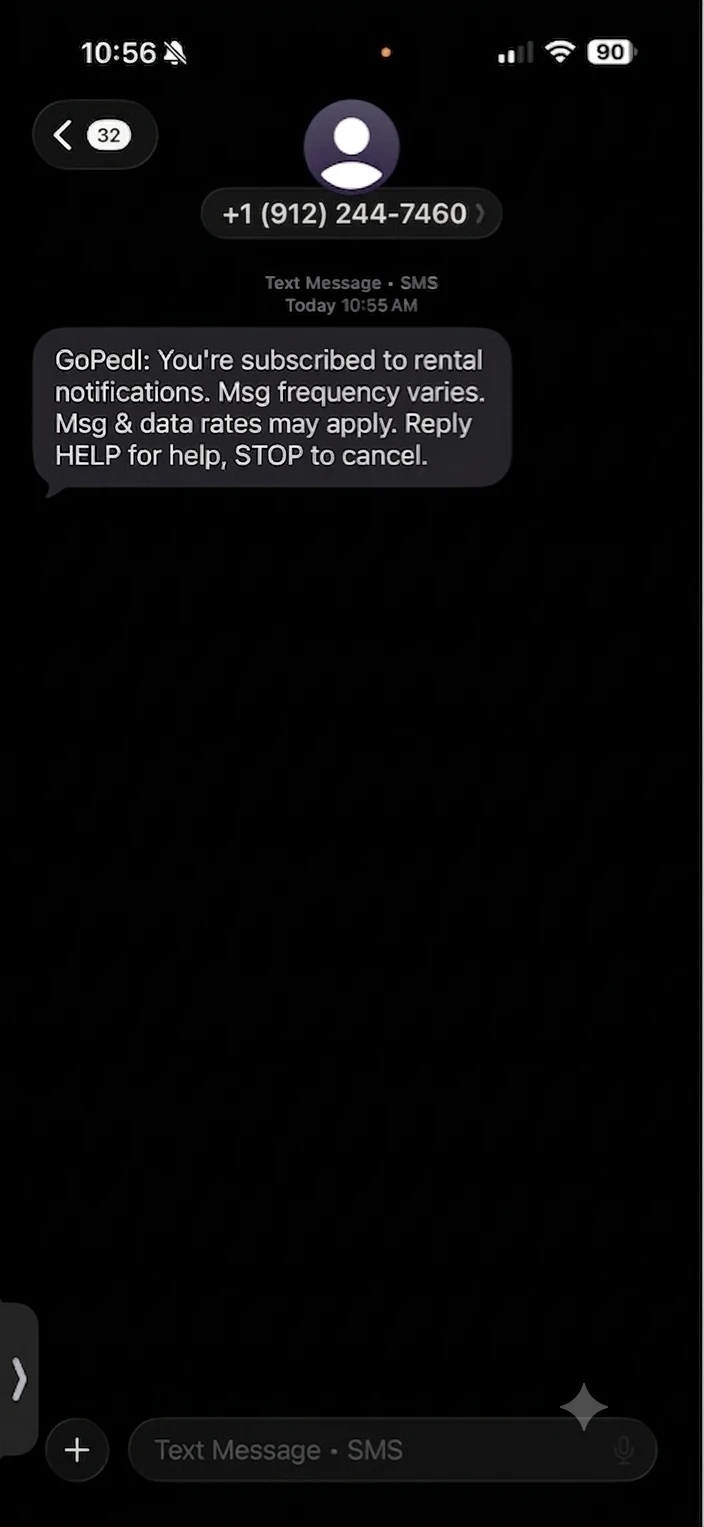
Message types: GoPedl sends transactional SMS messages only, including:
- booking confirmations;
- rental start and end reminders;
- rental expiration notices;
- unlock notifications;
- and account-related alerts.
No marketing or promotional messages are sent.
Message frequency: Varies based on your rental activity.
Message and data rates: Message and data rates may apply.
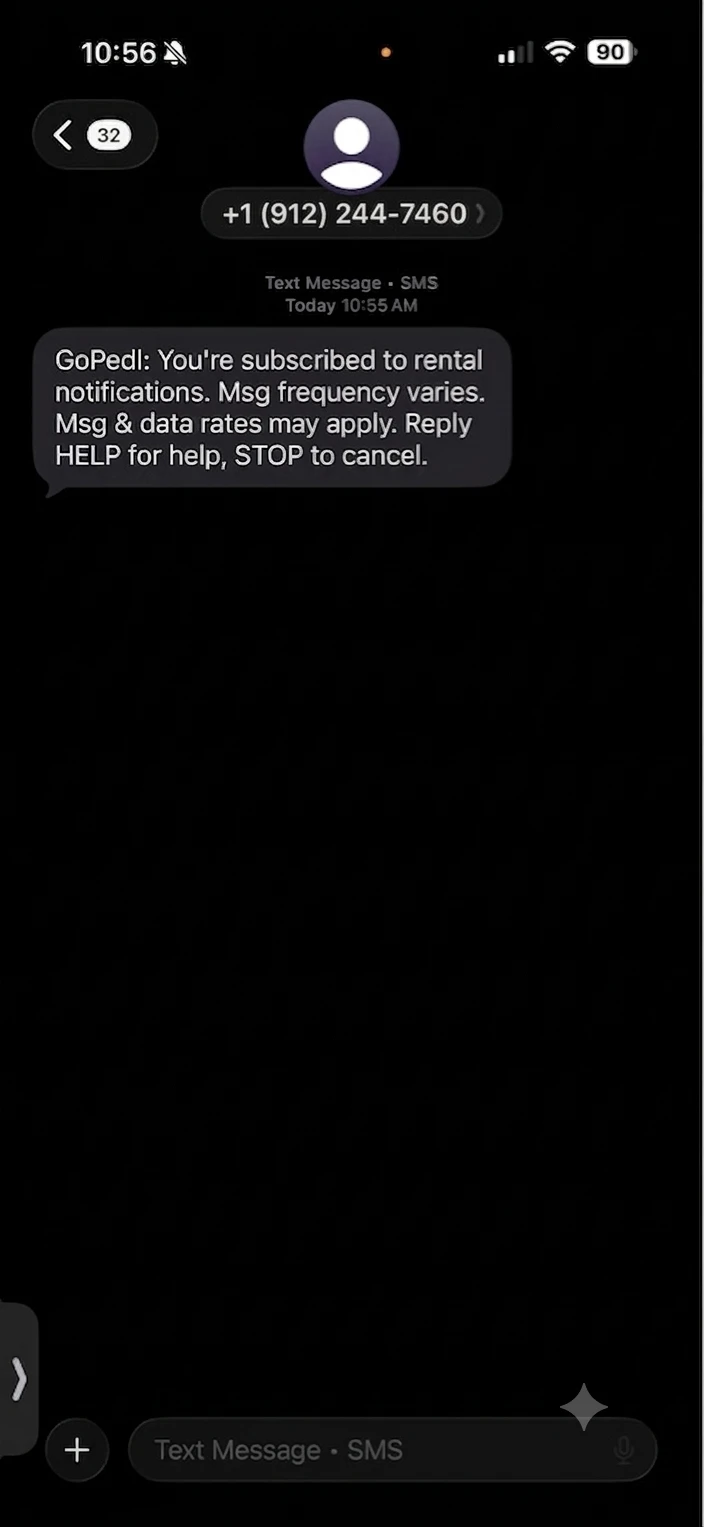
Opt out / help: Reply STOP to opt out at any time, or HELP for assistance.
Support contact: contact@lockrlabs.com
How users opt in
- Download the GoPedl app from the Apple App Store.
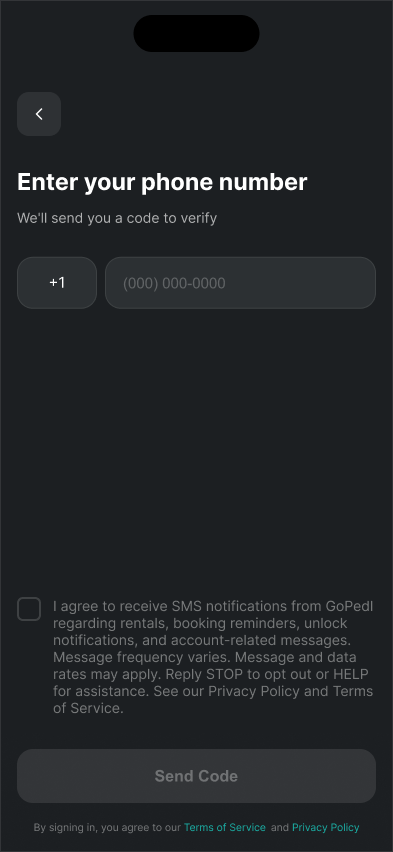
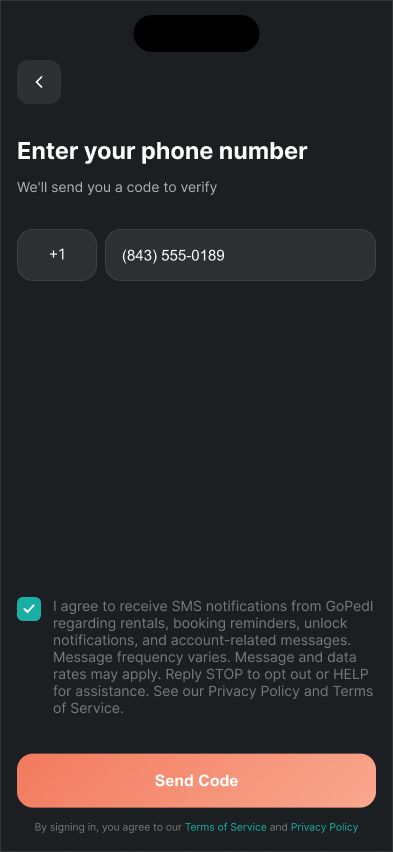
- Begin account registration and enter your mobile phone number.
- Verify your number with the one-time passcode we send you.
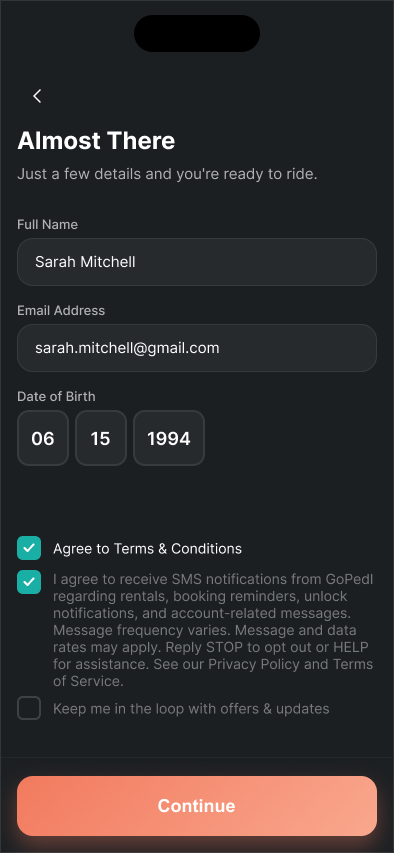
- Check the SMS consent checkbox, which is unchecked by default.
- Your account is created.
Your mobile phone number is collected in the phone number input field on the registration screen, shown in Screenshot 1 below. All SMS notifications are sent to this number.
This in-app checkbox is the only way to opt in to GoPedl SMS notifications.
Consent to SMS is not required to create an account or to rent a bicycle. The consent checkbox is optional and unchecked by default; leaving it unchecked does not block account creation or rental.
Consent language shown at signup
The following consent language is presented at signup. It is shown here as real, selectable text (not an image):
The checkbox above is shown in its default state: unchecked. Consent is optional — leaving it unchecked does not block account creation or bicycle rental.
Screenshots of the opt-in flow
Opting out
STOP: Reply STOP to any GoPedl SMS message to opt out. We honor STOP requests immediately and stop sending SMS messages to that number.
HELP: Reply HELP to any GoPedl SMS message to receive support contact information, including our support email contact@lockrlabs.com.
Links
- Privacy Policy — includes the “SMS / Text Messaging” section.
- Terms of Service — includes the “SMS Messaging Terms” section.